Nello for Gmail
Dictate emails in Gmail on your phone
Write a full email while you walk to your next meeting. Nello adds commas, full stops and question marks from how you speak and drops the “ums”.
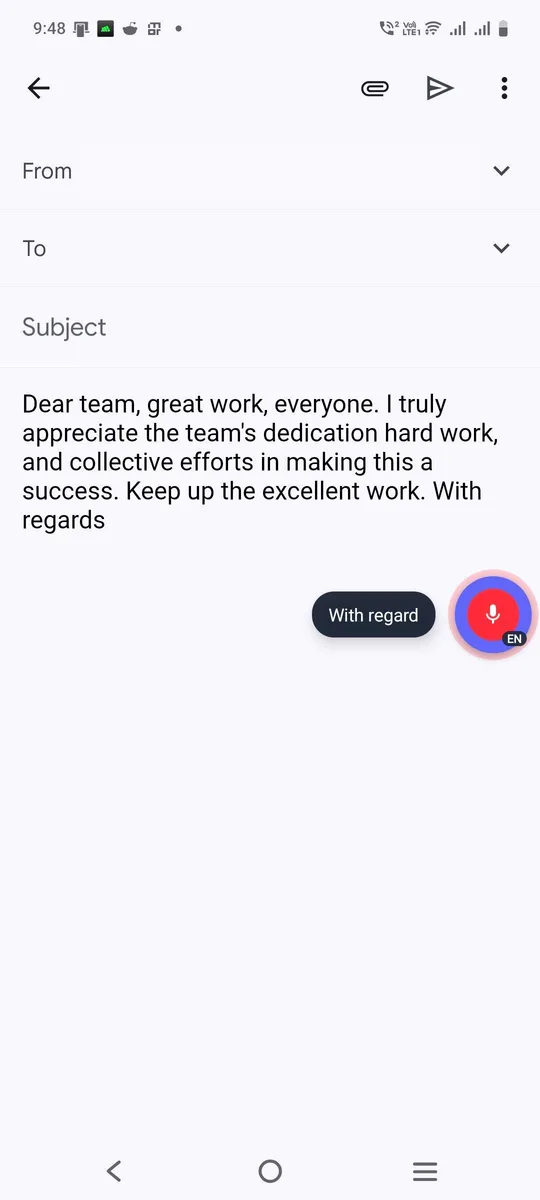
You say
“hi priya thanks for the update uh could we move the call to thursday”
Nello types in GmailHi Priya, thanks for the update. Could we move the call to Thursday?
How to dictate in Gmail
- Start a new email or reply and tap the body.
- Tap the Nello button and speak your email.
- Tap again, review and send.
Tips
- Pause between sentences. Nello keeps them in order.
- Dictate the subject line too. Tap it first, then tap Nello.
Stop typing. Start talking.
Your first 3,000 words are free. No card, no new keyboard.
Get early access